Sovereign Tower Tools Hub
Interactive planners for quests, factions, and daily reign decisions
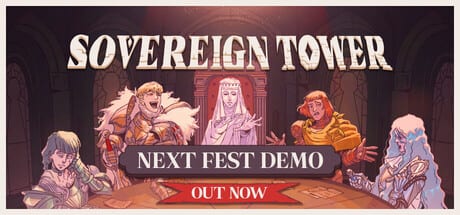
Wiki tools for Sovereign Tower turn spreadsheet guesswork into quick planning during the game’s tight daily loop. Wild Wits’ Round Table RPG asks you to match knight stats to quest cards, balance Merchants, Mystics, Scholars, Nobles, and the People, and still leave gold for Carina’s Forge and Witch alchemy — all before the Demon offers a rewind in the crypts. Static guides explain the rules; tools here let you test assignments without burning an in-game day.
This hub lists every interactive and reference tool page on the wiki. Full August 6, 2026 Steam launch coverage assumes solo play on Windows, Linux, and SteamOS; demo Act 0 and Act 1 data powers the matchers below until patch notes expand knights or factions.
Why use wiki tools while playing
Sovereign Tower hides nuance in quest tags, faction ripples, and consumable synergies. Reading Knight Stats once helps, but when three knights look viable for the same goose errand, a matcher saves time. Likewise, faction shifts from audience choices stack invisibly until a Noble revolt surprises you — a tracker makes standing explicit.
Tools complement — never replace — story guides. Use them alongside How to Play, Quest Success Tips, and Faction Guide for context on why a “green” matcher result still might fail due to personality fear or missing cheese buffs from Consumables.
Tools in this section
Knight Quest Matcher — featured
Pick a quest focus — Strength brawls, Charisma audiences, Wit puzzles, and more — and see which knight profile fits demo-verified stat spreads. The page embeds a live Knight Quest Matcher widget below its explanation. Open Knight Stats to learn what each stat means before you trust a suggestion.
Faction Balance Tracker — featured
Log standing with Merchants, Mystics, Scholars, Nobles, and the People plus treasury notes while you play. The embedded Faction Balance Tracker resets for new runs and mirrors the faction language used in Faction Guide. Use it when audience choices start blurring together across Demon rewinds.
When to open each tool in your session
A practical demo rhythm:
- Morning audience — adjust the Faction Tracker after each major promise or insult.
- Tower exploration — note new knights or annex upgrades; no tool required unless recruiting changes roster math.
- Round Table — run the Quest Matcher on every quest with two or more plausible knights.
- Post-assignment — update factions if quest outcomes mention Merchants, Nobles, or the People.
- Before Demon rewind — screenshot tracker values if you want to compare timelines.
Late Act 1 spikes — Dragon Knight rematches, Beast Hunts, goose chaos — benefit from running both tools back-to-back because faction standing gates some recruitment and item purchases.
Tools versus written guides
| Need | Tool | Guide |
|---|---|---|
| Quick stat fit | Quest Matcher | Knight Stats |
| Standing math | Faction Tracker | Factions |
| Item buff planning | Matcher + guides | Consumables |
| Secret unlock routes | Not covered | Secret Knights |
Matchers use demo roster assumptions. Secret recruits like Brunhilda or Chester may not appear until you follow spoiler routes — add them manually to your mental roster when guides confirm unlocks.
Accuracy and updates
Tools reflect community-verified demo data and wiki facts files. Knight stat spreads or faction labels may change before August 6, 2026 launch. After each demo patch, check Updates Hub and refresh your planning session if matchers feel off.
Interactive widgets load on demand to keep pages fast on mobile — click to activate embeds inside each tool article.
Related hubs
- Knights Hub — roster, tiers, and secrets feeding the matcher.
- Guides Hub — narrative walkthroughs tools do not replace.
- Systems Hub — Round Table and annex rules under the hood.
- Items Hub — gear and consumables that change effective quest fit.
Keep these tools pinned during your first Act 1 week; once you internalize knight egos and faction grudges, you may only need them for borderline calls and completionist rewinds.
Frequently Asked Questions
Quick answers to the most common questions.
Do wiki tools connect to the game?
No. Knight Quest Matcher and Faction Balance Tracker are fan-made planners on this site. They do not read save files; you enter quest focus or faction values manually while playing.
Which tool should I use first as a new player?
Read [How to Play](/guides/how-to-play/), then open the [Knight Quest Matcher](/tools/quest-matcher/) when the Round Table unlocks. Add the [Faction Tracker](/tools/faction-tracker/) once audience choices affect multiple factions.
Why does the matcher disagree with my gut pick?
Matchers optimize stat fit, not personality tags, consumables, or secret knight unlocks. Cross-check [Quest Success Tips](/guides/quest-success/) and [Knight Roster](/knights/roster/) before overriding the widget.
Will tools update after full release?
Yes. Demo Act 0 and Act 1 data will expand as knights, factions, and quests grow. Follow [Updates Hub](/updates/) for tool-related wiki patches.